Skip to main content
Setting the correct screen resolution
- The application cannot be started because the required screen resolution is not set.
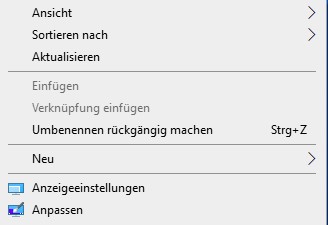
- Open the context menu on the desktop and click the Display settings entry.
- Set the resolution to at least 1024 * 768 pixels.
- If you have 2 screens, click the screen icon for each screen and set the value for each screen.
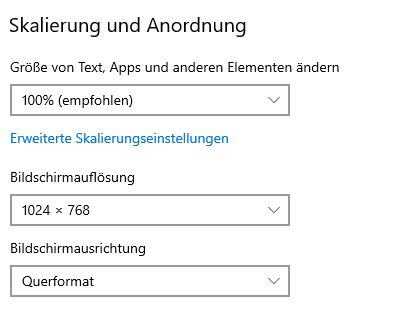
- Apply the selected setting.